✦ Available for Scholarship & Work

I'm Negar, I design & build.

  • UI/UX Design
  • Web Design
  • Frontend Development

I design clear interfaces and interactive web experiences — and build them myself. My work connects UI/UX thinking, visual systems and interaction design with front-end implementation, using AI-assisted tools where they make the work sharper.

↗ See My Work
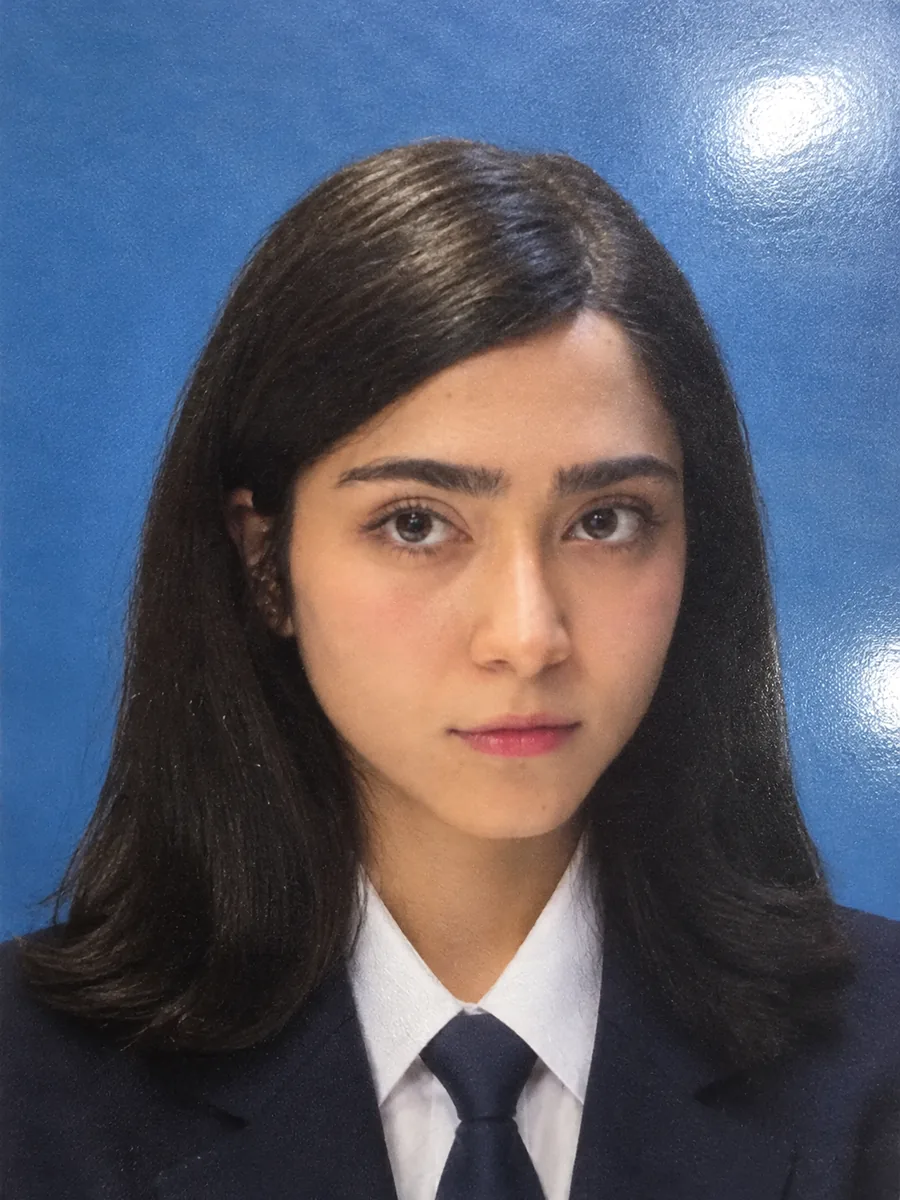
Portrait of Negar Zahed in a navy blazer, white shirt and tie
available for work
Negar Zahed
UI/UX Designer · Web Designer · Frontend Developer
✦ Selected Work

Projects I'm proud of.

Live client work, an ongoing product, and the personal builds and concepts where I test ideas — each one designed and built by me.

⬡ Services

What I Work On

Interfaces built with attention to structure, hierarchy, and how they'll actually be used.

Sample UI screens from a mobile app interface design

UX & UI Design

Interfaces built from wireframe to detailed Figma files — with attention to hierarchy, spacing, and states, ready to hand off to a dev team.

AI-Assisted Development

I use AI tools to speed up front-end implementation and exploration. The structure, decisions, and design direction stay mine.

Interactive Web Builds

Responsive websites built with Framer or HTML/CSS/JS, with animation and interaction used only where it adds meaning.

Visual & Brand Design

Visual identities and digital assets built around a clear palette, typography system, and consistent component language.

UX Research & Structure

Competitive analysis, information architecture, and persona work used to shape structure before visual design begins.

Negar Zahed
available for work
Negar Zahed
UI/UX · Web Design · Frontend · Tehran
✦ About Me

Where creativity meets precision.

I'm Negar Zahed, 22, a UI/UX & Interaction Designer who believes that the best design is invisible — it simply works. With a background in Graphic Design (diploma), Networking (associate degree), and Computer Science (bachelor's), I bring a technical-creative perspective to every project. I discovered my interest in design not in a classroom, but in the space between an idea and its execution. Today I combine Figma, Framer, WordPress, and AI-assisted development to build digital products that are both considered and usable. I also spent 2 years teaching English and hold a TTC certificate, which shaped how I explain and structure ideas clearly. That same clarity drives how I design.
  • Figma
  • Framer
  • UI Design
  • Web Design
  • Interaction Design
  • UX Research
  • Responsive Design
  • HTML / CSS / JS
  • React
  • WordPress
  • Branding
  • Prototyping
  • Design Systems
  • AI-assisted Workflow
UI/UX Design Intern
Fekr-e-Modern Digital Marketing Agency
2024
English Language Teacher
Private Teaching (2 Years · TTC Certified)
2022–2024
Freelance UI/UX Designer
Independent Projects — Figma, Framer & AI-assisted tools
2023–Now
✦ AI & Professional Development

AI supports the craft. It doesn't replace it.

I study AI tools properly so I can use them responsibly — to research faster, prototype more directions and ship cleaner front-end, while the design decisions stay mine.

AI in my workflow

Where it fits in a typical project:

  1. Research & discovery

    Mapping a domain, competitors and user questions before structure is decided.

  2. Content structuring

    Turning raw material into information architecture, page outlines and clear copy.

  3. AI-assisted design & prototyping

    Exploring more layout and interaction directions early, then refining one by hand.

  4. AI-assisted front-end development

    Building, debugging and reviewing code faster — with every line checked and understood.

  5. Workflow optimization

    Automating repetitive steps so more time goes into creative problem solving.

Claude Academy Courses by Anthropic
6verified credentials
  • Claude 101
  • Claude Code 101
  • AI Fluency: Framework & Foundations
  • Collaborating with AI
  • Claude Code Foundations
  • Claude Essentials

Every credential opens its public verification page on academy.claude.com.

▲ Process

How a Project Moves Forward

The steps below adapt to each project — not every project needs the same depth of research or testing.

  1. Understand

    Clarifying the problem, the audience, and the constraints before any screen gets designed.

  2. Structure

    Organizing content and user flows so the interface has a clear shape before it has a visual style.

  3. Design

    Exploring directions, then refining one into wireframes and a high-fidelity Figma prototype.

  4. Refine & Deliver

    Polishing visual details and interaction states, then preparing files or code for handoff.

? FAQs

Questions? Answers!

Still have questions?

Reach out directly by phone or email — both are one tap away.

UI/UX design, web design, interaction design, Figma prototyping, and building responsive interfaces with HTML/CSS/JS, React, and Framer.

No — I use AI the way designers use any tool, to speed up exploration and front-end implementation. The design decisions and direction are mine.

Figma, Framer, HTML/CSS/JS, React, WordPress, and various AI tools for productivity and code assistance.

Yes. I'm also open to scholarship opportunities in Interaction Design abroad, and available for freelance or collaborative projects in the meantime.

Timelines depend on scope — a simple landing page takes less time than a full product design that includes research and prototyping. I communicate progress clearly throughout.

Phone, email, or GitHub — tap the Get In Touch button anywhere on this page to see all three.
✦ What I Value

How I Approach Design

A few things that shape how I work.

Clarity over decoration

An interface should be understandable before it's impressive. I look for the simplest structure that still feels considered.

Design and code, together

Knowing how something gets built changes how I design it. Working across Figma and front-end code keeps my design decisions realistic.

Motion with a reason

Animation should explain something — a state change, a relationship, a pace — not just move for attention.

AI as a tool, not a shortcut

I use AI tools to speed up exploration and front-end implementation. The direction, the decisions, and the taste behind them stay mine.

→ See All Projects

Tell Me About Your Next Project

Reach out by phone, email, or take a look at my code on GitHub.